
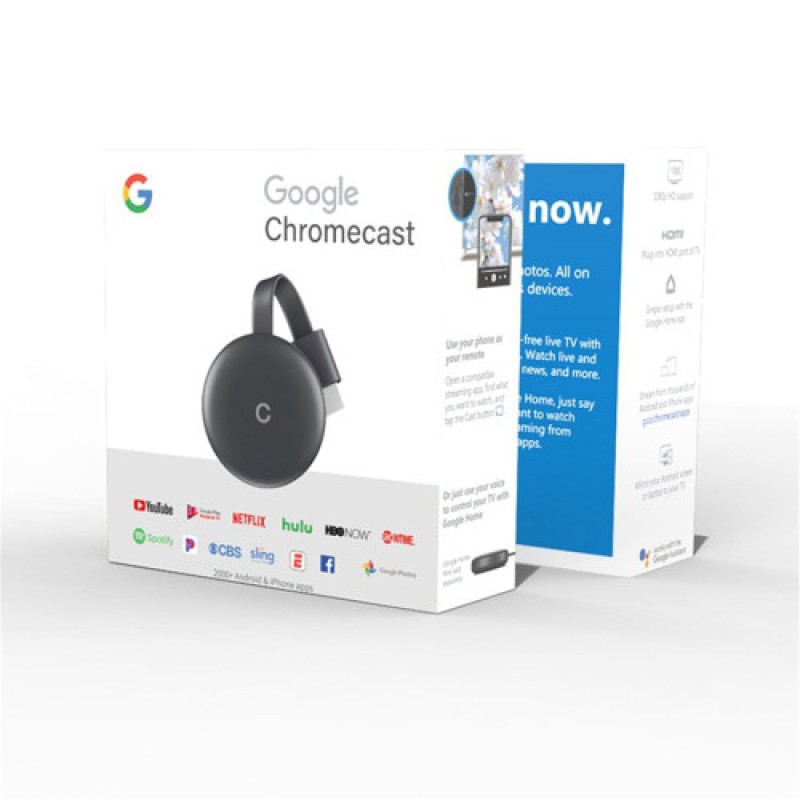
Google Chromecase 4K HD G12 - No DC
- Product Code: ECC012
- EAN: 202302220001
- Availability: 100
Google Chromecast 4K Ultra HD G12 Streaming Media Player – No DC
Transform any television, computer monitor, or projector into a feature-packed smart entertainment hub with the Google Chromecast 4K Ultra HD G12 Streaming Media Player (No DC). Engineered with a high-performance video decoding chipset, this compact HDMI media dongle streams movies, sports, television series, and live presentations straight to the big screen with exceptional clarity and rich color dynamics.
Supporting resolutions up to 4K Ultra HD and 1080p Full HD, it allows effortless wireless mirroring and streaming from Android phones, iPhones, iPads, MacBooks, and Windows laptops. Operating via standard 5V USB bus power (No DC adapter, external wall transformer, or specialized power brick required), it connects directly into an available USB port on your TV or display, delivering a clean, cord-free entertainment setup.
Key Features & Specifications
-
Product Type: Wireless Screen Mirroring Dongle / 4K HD HDMI Streaming Receiver.
-
Model Hardware: G12 Media Streaming Architecture.
-
Ultra-High Definition Video Output:
-
Supports high-resolution output up to 4K Ultra HD and 1080p Full HD at 60Hz.
-
Delivers crisp text rendering, vibrant color contrast, and fluid video playback for action-packed sports and cinematic films.
-
-
Universal Multi-Protocol Wireless Streaming:
-
Built-in multi-mode wireless support for Google Cast / Chromecast, Apple AirPlay, Miracast, and DLNA.
-
Easily toggle between casting protocols to mirror personal screens or push background media streams effortlessly.
-
-
Dual-Band Wireless Connectivity:
-
Equipped with an external high-gain Wi-Fi antenna receiver module for stable, low-latency transmission.
-
Minimizes buffering, stutter, and dropped frames during continuous high-bitrate streaming.
-
-
Direct USB Bus-Powered (No DC):
-
Operates on standard 5V/1A or 5V/2A USB power drawn straight from your TV’s built-in USB service port or a standard USB power bank.
-
Eliminates the need for bulky DC wall socket adapters or tangled floor cords.
-
-
Broad Operating System Interoperability:
-
Compatible across Android (5.0+), iOS (9.0+), macOS (10.9+), and Windows (8.1/10/11).
-
Mirror mobile games, stream online video apps, present PDF slide decks, or share family photo albums with zero software lock-in.
-
-
Ultra-Compact Pocket Design:
-
Flexible HDMI connector ribbon slots neatly into recessed TV ports without blocking adjacent HDMI inputs.
-
Lightweight and portable form factor fits easily into travel bags for hotel stays and business trips.
-
Broad Universal Applications & Target Uses
-
Home Theater & Living Room Entertainment: Turn any standard HDMI television into a smart display to stream video content, music playlists, and web series directly from your smartphone.
-
Business Meetings & Office Presentations: Cast keynote slides, Excel spreadsheets, and project roadmaps wirelessly from your laptop to boardroom projectors without passing around HDMI cables.
-
Classroom & Educational Demos: Teachers and lecturers can move freely around the room while mirroring interactive learning apps and digital whiteboards to classroom screens.
-
Mobile Gaming on the Big Screen: Cast high-octane mobile games from your smartphone or tablet onto a large TV screen for a responsive, big-screen gaming experience.
-
Travel & Hotel Entertainment: Plug into hotel room TVs and stream personal content securely from your phone without logging into public smart TV accounts.
Quick 4-Step Setup & Operation Guide
-
Connect Dongle: Plug the G12 HDMI male connector into an available HDMI port on your TV or projector.
-
Supply USB Power: Connect the included 2-in-1 USB Wi-Fi cable to the dongle's micro-USB port and insert the standard USB-A plug into your TV’s USB port (or any 5V USB socket).
-
Select HDMI Input: Switch your television source to the corresponding HDMI channel to view the setup guide and Wi-Fi pairing screen.
-
Cast & Stream: Connect your smartphone, tablet, or laptop to the displayed wireless network (or home Wi-Fi), tap the "Cast" or "Screen Mirroring / AirPlay" icon on your device, and enjoy your content on the big screen.


